Connect Google Workspace
Users sign in with Google OAuth. One-Pochi requests the permissions needed to provide CRM features.
A professional CRM for small teams that already run on Google Workspace. One-Pochi adds pipelines, contact management, AI capture, analytics, and bilingual English/Japanese workflows while your customer data stays in a Google Sheet you own.
Approved users can open One-Pochi in the browser. New teams can request beta access below.
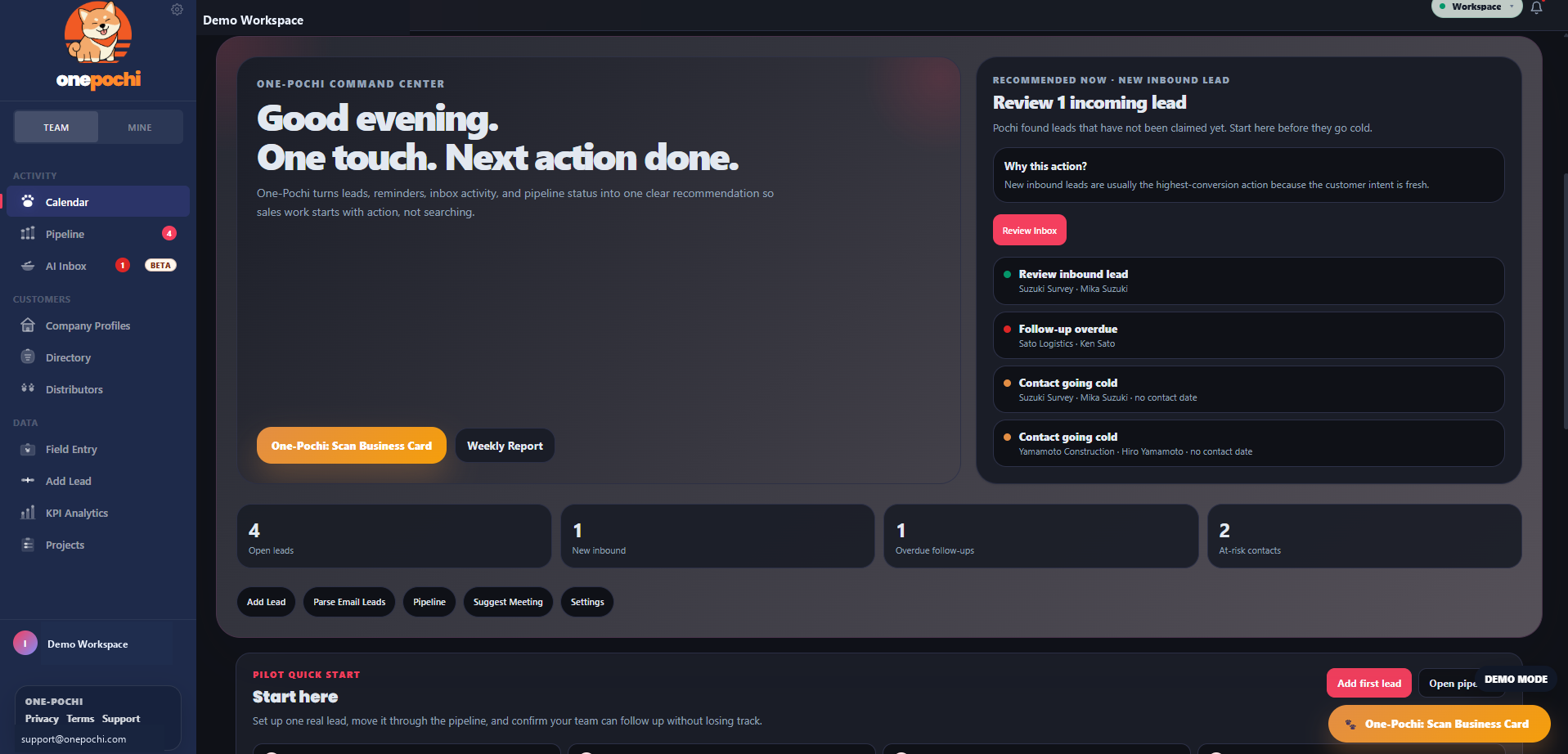
One-Pochi is designed to feel familiar on day one: connect Google, create a workspace, and start managing leads without downloading software.
Users sign in with Google OAuth. One-Pochi requests the permissions needed to provide CRM features.
Your contacts, pipeline, tasks, and activity records live in a Google Sheet controlled by the workspace owner.
Approved users open the hosted app from the website. Access, billing status, and roles are checked inside the app.
One-Pochi is intentionally lightweight: Google handles identity and storage, Stripe handles billing, and your workspace remains exportable because it is a spreadsheet in your own account.
One-Pochi turns a Google Sheet into a structured sales workspace without taking ownership of the underlying data.
Surface the next action, overdue follow-ups, cold contacts, and pipeline health in one place.
Track active opportunities on a clean Kanban board without turning every contact into board noise.
Scan business cards or add field leads quickly, then review details before saving them to the directory.
See project counts, total hours, pipeline value, burn ratio, and status breakdowns from live records.
Daily recommendations, one-touch follow-ups, and workspace readiness tools.
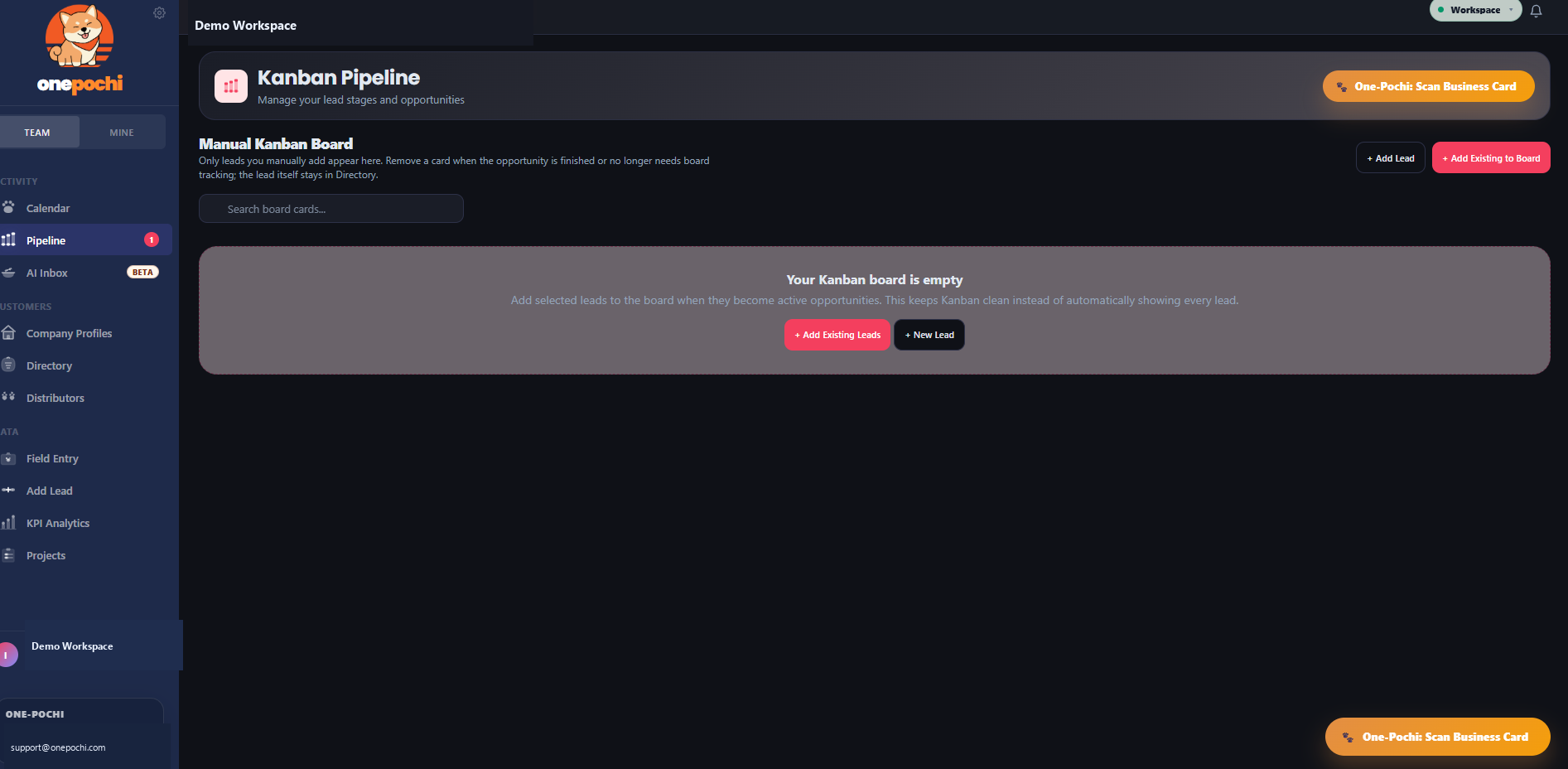
Manual opportunity tracking keeps the board focused on active deals.
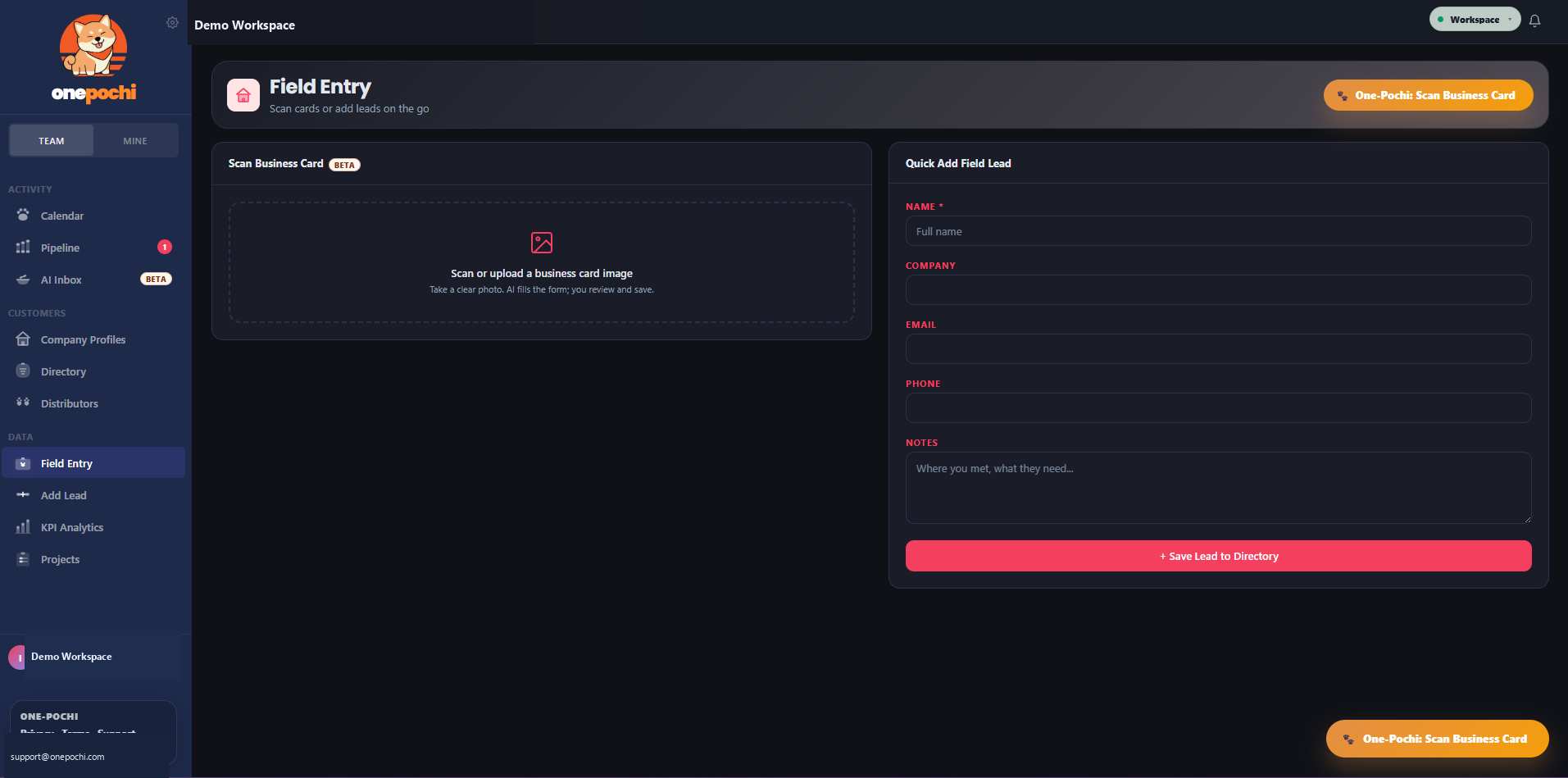
Business card scanning and quick lead entry for teams on the move.
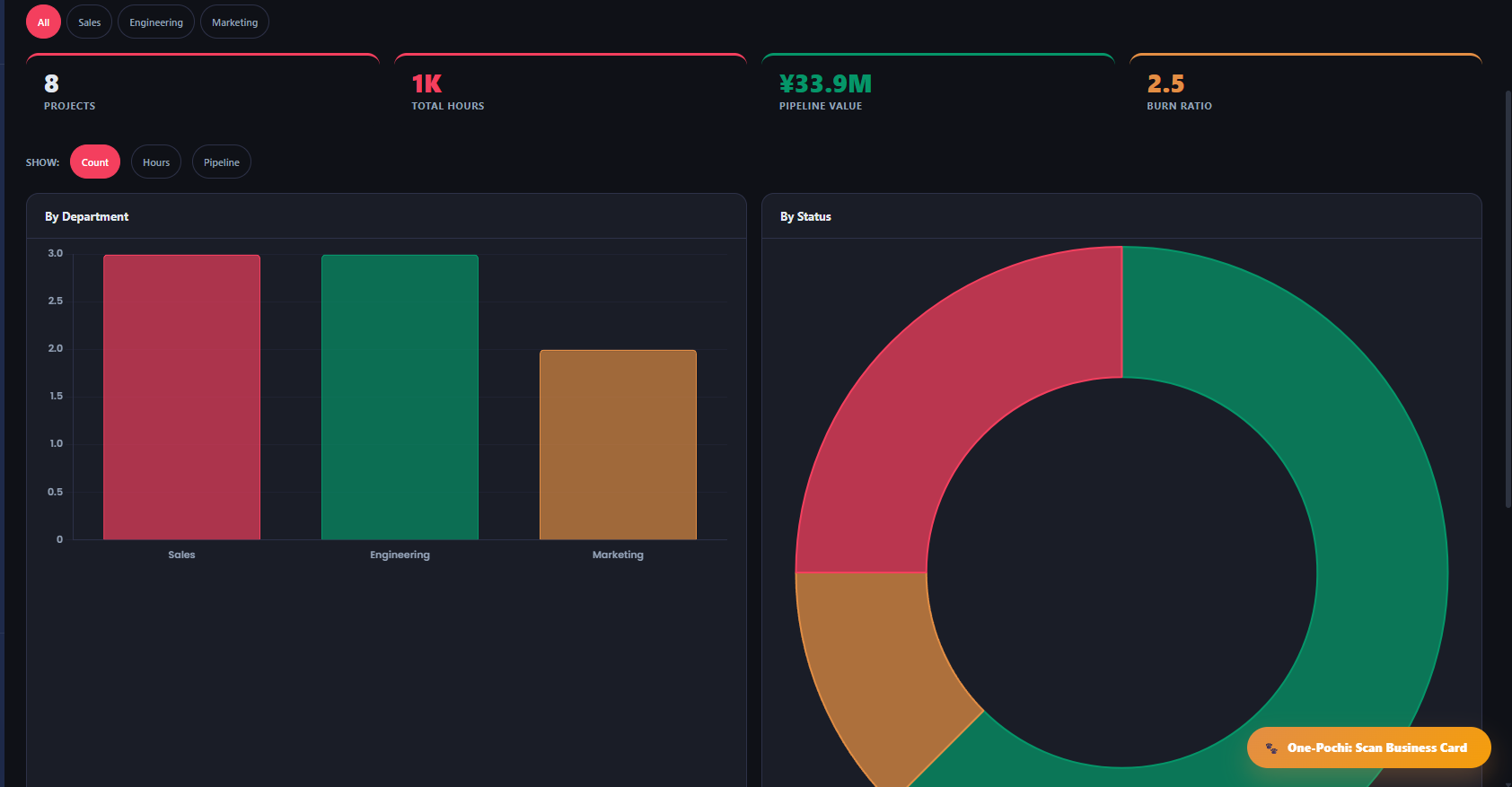
Readable charts for project mix, status, hours, value, and burn ratio.
The app is organized around the work a small sales team repeats every week: capture a lead, decide the next step, track the opportunity, and review progress.
Field entry and AI-assisted capture help move real-world contacts into the CRM without spreadsheet cleanup first.
Recommendations surface follow-ups, inbound leads, and at-risk contacts so teams start with action.
Kanban stages, project metrics, and KPI charts keep the team aligned without a heavy enterprise setup.
One-Pochi is designed for small teams that need clarity, speed, and credible data practices more than complicated admin work.
Switch the interface between English and Japanese for teams working across Japan and international markets.
Open the underlying Google Sheet whenever you need to inspect, copy, export, back up, or leave.
Owners, admins, and members can be managed around the way small sales teams actually work.
Use AI for practical capture tasks like business cards and inbox parsing, with review before data is saved.
A small team should not be penalized every time one more person needs access to the pipeline.
Early users get clear plan choices, visible policies, and a direct support path while the product matures.
Privacy is not tucked away as an afterthought. The product story, policy pages, and technical model all point in the same direction.
One-Pochi is available through Stripe checkout. Use the same email for payment and the Google account you will use in the app so access can be verified smoothly.
Best for founders, consultants, and independent sellers.
Flat team pricing for growing sales teams.
Limited founding-customer offer for early adopters.
After checkout, open onepochi.com/app. If access is not active yet, contact support@onepochi.com with your Stripe receipt email.
Most CRMs become more expensive every time another person needs access. One-Pochi is built around flat team economics.
Example: 10 people at about $49 per seat.
Flat pricing for the whole team.
One-Pochi is currently in private beta. Approved users access the hosted web app at onepochi.com/app, while authorization, billing status, and workspace permissions are handled inside the app.
Google Sheet-backed workspace, command center, contacts, pipeline, AI capture, analytics, EN / JP interface, and team roles.
Onboarding, templates, support workflows, billing transition, and admin controls are being refined with beta users.
Policies, pricing, support expectations, and documentation will be kept current as the product moves out of beta.
Short answers for beta users, Google Workspace admins, and teams comparing One-Pochi with heavier CRM tools.
No. One-Pochi is hosted as a web app. Approved users open it from onepochi.com/app.
Your CRM records are designed to stay in the Google Sheet controlled by your workspace owner, not in a hidden One-Pochi warehouse.
Yes. One-Pochi supports owners, admins, and members, with shared pipeline and team workflows.
Yes. Teams can request beta access for review, or choose a paid plan from the pricing section and then open the app with the same email.
Yes. Because the records live in Google Sheets, workspace owners can inspect, copy, export, or back up their data.
Yes. The website and product experience are designed for English/Japanese workflows from the start.

One-Pochi is built for small teams that need a professional sales system without giving up data ownership or paying a per-seat penalty. The product reflects a practical belief: if your team already trusts Google Sheets, your CRM should make that foundation stronger, not replace it with a black box.
Need beta review before buying? Send your email here. Already approved or paid through Stripe? Open the app directly.